
OCR software for Mac that works where copy and paste cannot
OwlOCR 7 combines fast Apple Vision OCR with optional local AI OCR for messy screenshots, low-quality scans, and dense layouts. Copy text, export searchable PDFs, open QR-coded URLs, and automate workflows with Finder Quick Actions and the CLI.
Free Core · On-device document OCR · No account required to start
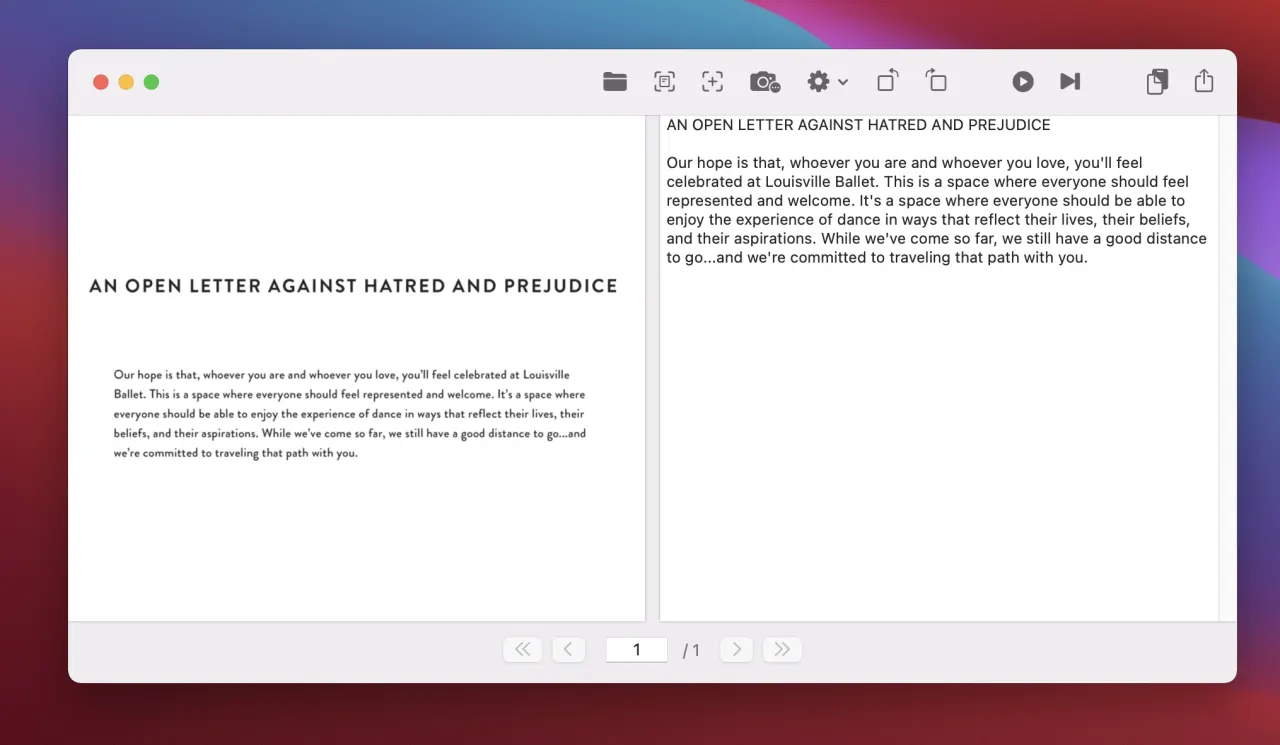
Built around real Mac OCR workflows
Start with the text you need to unlock
Copy text from your screen
Select any screen region, run OCR, and send the recognized text to your clipboard.
Explore screenshot OCR →Make scanned PDFs searchable
Keep the visible page and add an invisible text layer for search, selection, and copy.
Explore PDF OCR →Use Mac OCR for free
Start with on-device Apple Vision OCR, then choose Pro only if you need advanced workflows.
See what is free →Local AI OCR for the pages Apple Vision needs help with.
Keep using Apple Vision for fast OCR with text boxes, highlights, and searchable PDF export. Switch to OCR AI when you want a second pass on noisy screenshots, low-quality scans, unusual layouts, or dense documents.
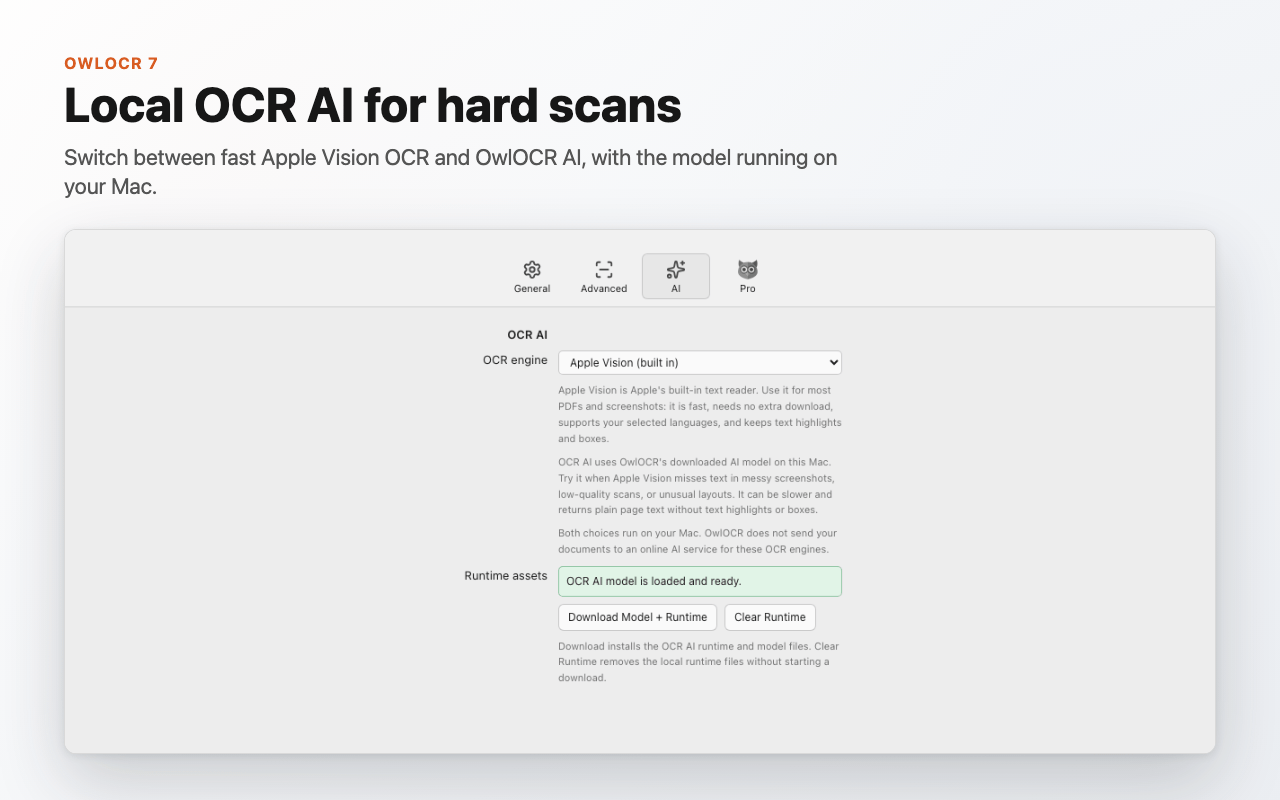
OCR AI on your Mac
Download the OCR AI model and runtime from Settings, then run hard OCR jobs locally.
Apple Vision stays fast
The built-in engine remains the best default for most screenshots, PDFs, and language-aware OCR.
Searchable PDF export
Export PDFs with an invisible OCR text layer when using Apple Vision recognition.
Still private
OwlOCR does not send your documents to an online AI service for these OCR engines.
How does it work?
Fast OCR when you need it
Apple Vision is the default engine for near instantaneous OCR. When the source is messy or Apple Vision misses text, OCR AI can run a downloaded local model on your Mac for a second pass.


Privacy secured
Apple Vision OCR and OCR AI both run on your device. OCR AI uses a model and runtime downloaded to your Mac, and OwlOCR does not send your documents to an online AI service for these OCR engines.
OCR content stays local. Network access is used only for tasks such as downloads, updates, and licensing—not to upload your documents for recognition.

Adapts to your workflow
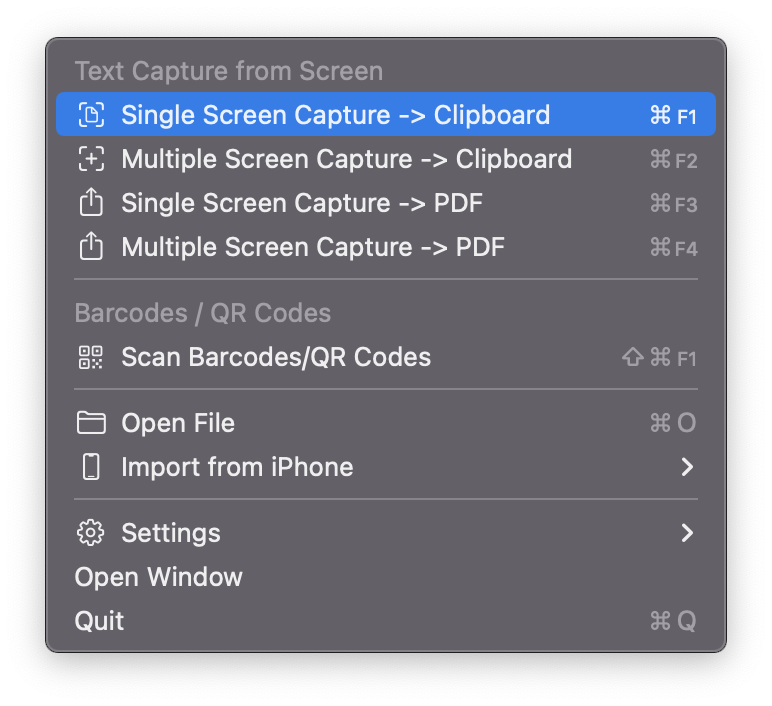
OwlOCR processing can easily be started with customizable keyboard shortcuts, through the menu bar or Dock, by using Finder Quick Actions, or via command line interface.
Create searchable PDFs
Promise.
Core
- Unlimited fast Apple Vision text recognition on-device
- Grab a screen area for instant OCR and results copied to clipboard
- Grab multiple areas of your screen for instant OCR and concatenated results copied to clipboard
- Use Finder Quick Actions to trigger main use cases right from Finder
- Drag and drop documents to the app to convert to text
- OCR page-by-page in multi-page documents
- Take a photo or scan documents with your iOS device, directly from the app
- Export searchable PDFs
- Export OCR results to text files
- Create searchable PDFs, text files, or clipboard text from Finder Quick Actions
- Scan QR codes and barcodes and easily open encoded URLs
- Custom dictionary
- Line spacing and word wrapping options
- Keyboard shortcut Cmd + F1 (configurable) for a screen grab
- Keyboard shortcut Cmd + F2 (configurable) for multiple screen grabs
- Notifications on OCR completion
- Input filetypes supported: PDF, BMP, GIF, HEIC, HEIF, JPEG, JPEG 2000 (JP2), PNG, TIFF, and WebP
- Language support is loaded from Apple's Vision framework and depends on your macOS version
- Many customization options like Menu Bar -only mode, screenshot sounds, storage directories and more
- Apple Silicon, Intel Macs, Dark Mode and macOS 13.3 or newer
Pro
- All Core Features
- Superpower your process by integrating via command line
- OCR all pages in multi-page PDFs or multiple image files with configurable parallel processing
- Batch process multiple files in a single go right from Finder using Finder Extensions
- Capture and combine three or more screen regions, configurable up to 50
- Configure post-processing rules for Find/Replace behaviour and Smart Quotes substitution
- Use OCR AI locally for messy screenshots, low-quality scans, dense layouts, and documents where Apple Vision needs another pass
- Download and manage the OCR AI model and runtime from Settings
- Website licenses restore by email; Mac App Store licenses restore with your Apple ID